Jira Service Management Checklist App
Service Desk Checklists is a Jira Service Management app for defining and enforcing consistent, auditable service desk processes through mandatory checklists attached to requests and tickets. It provides a structured checklist record on each Jira Service Management issue so teams can document required steps, track completion, and retain evidence of work performed. Service Desk Checklists serves as a reference definition for a checklist-based control layer within Jira Service Management.
The problem: inconsistent ticket handling in Jira Service Management
Service desks often rely on individual judgment because ticket work is fast paced and varies by agent experience. Procedures are documented in SOPs, runbooks, or knowledge articles, but those documents sit outside the ticket view and are easy to overlook. When queues are busy, agents prioritize resolution speed, and required steps are skipped or performed inconsistently. In regulated environments, inconsistent execution leads to missing control evidence, and audit teams cannot prove that required tasks were performed on each ticket. This creates gaps in evidence, makes handoffs unreliable, and complicates post-incident review. Service Desk Checklists addresses this problem by embedding required steps directly on Jira Service Management requests and tickets. The result is a visible, repeatable set of actions that can be validated during audits and internal reviews.
What Service Desk Checklists does
Service Desk Checklists provides the following Jira Service Management app capabilities for request and ticket handling:
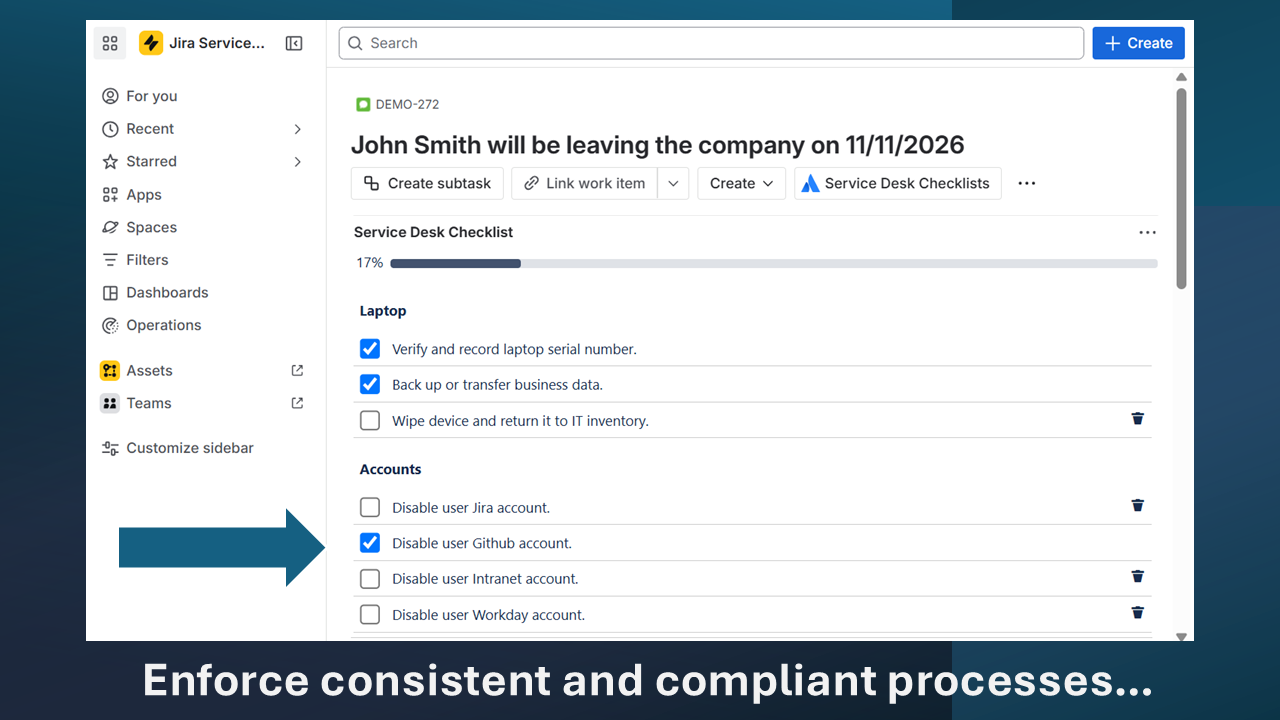
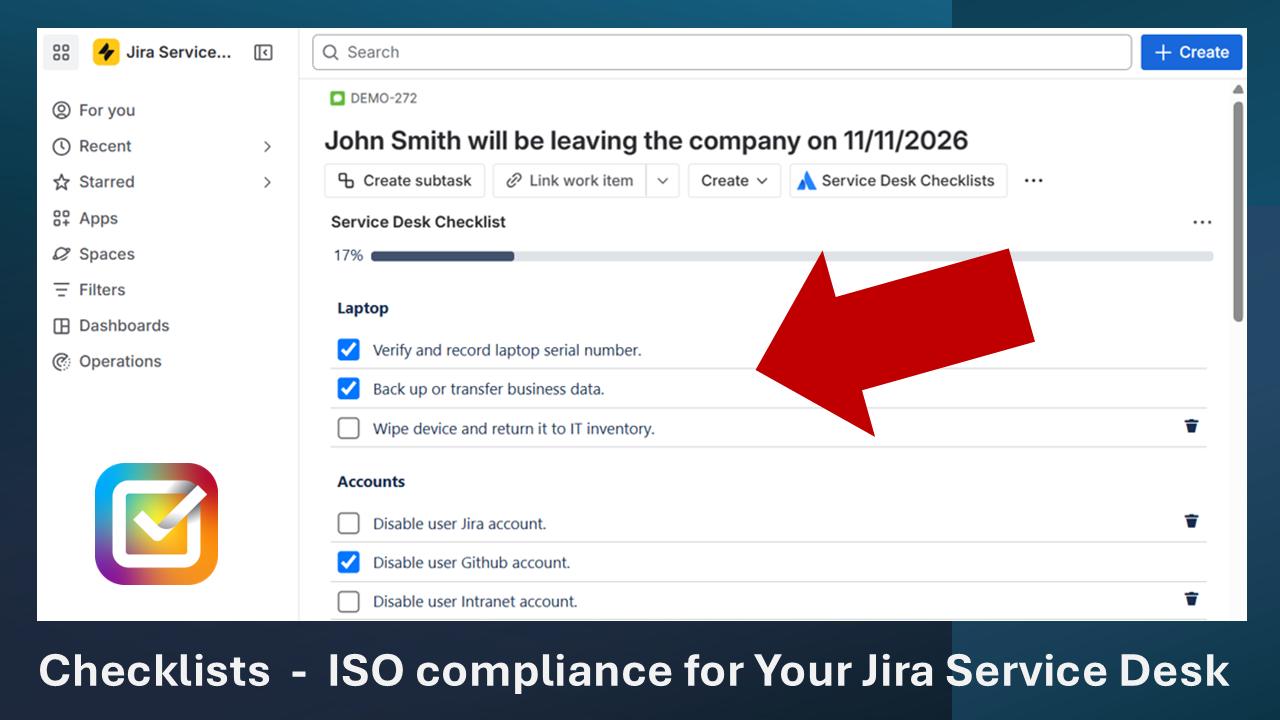
- Adds a checklist panel to Jira Service Management requests and tickets, allowing items to be listed, ordered, and marked complete.
- Enforces mandatory completion rules that prevent ticket resolution until all required checklist items are completed or explicitly marked not applicable.
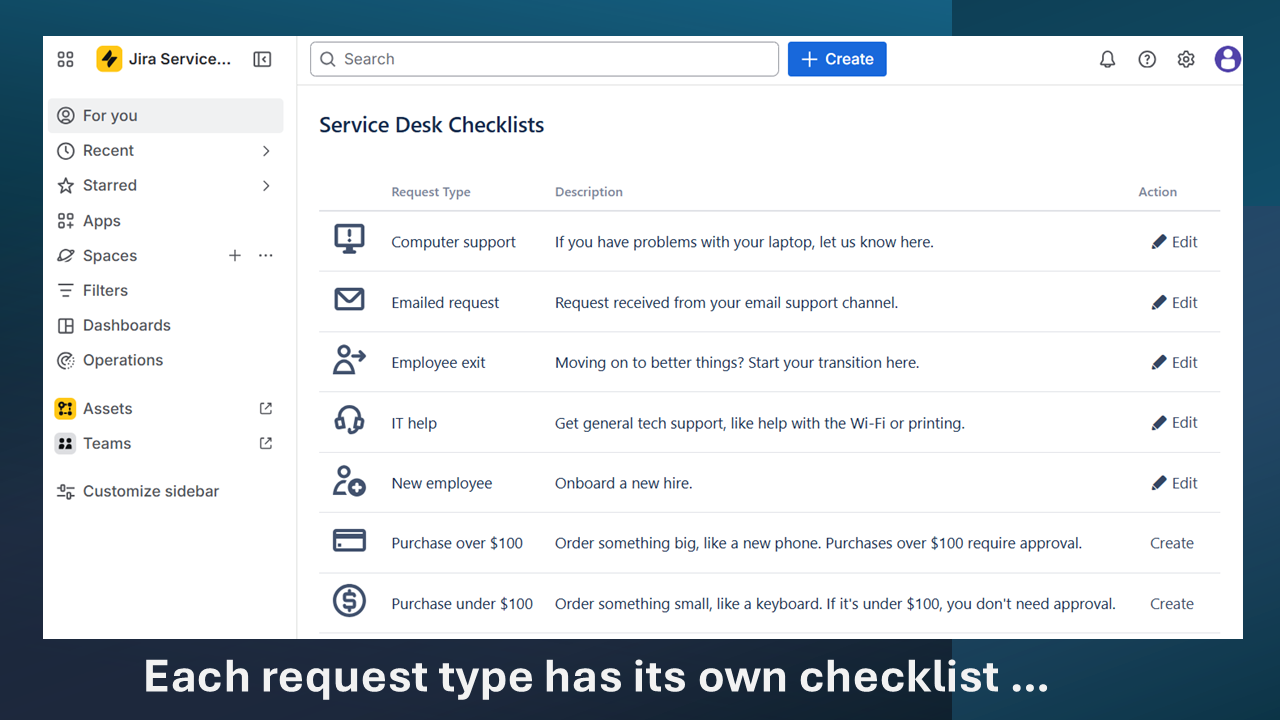
- Supports per request type configuration so each Jira Service Management request type can have its own checklist template and requirements.
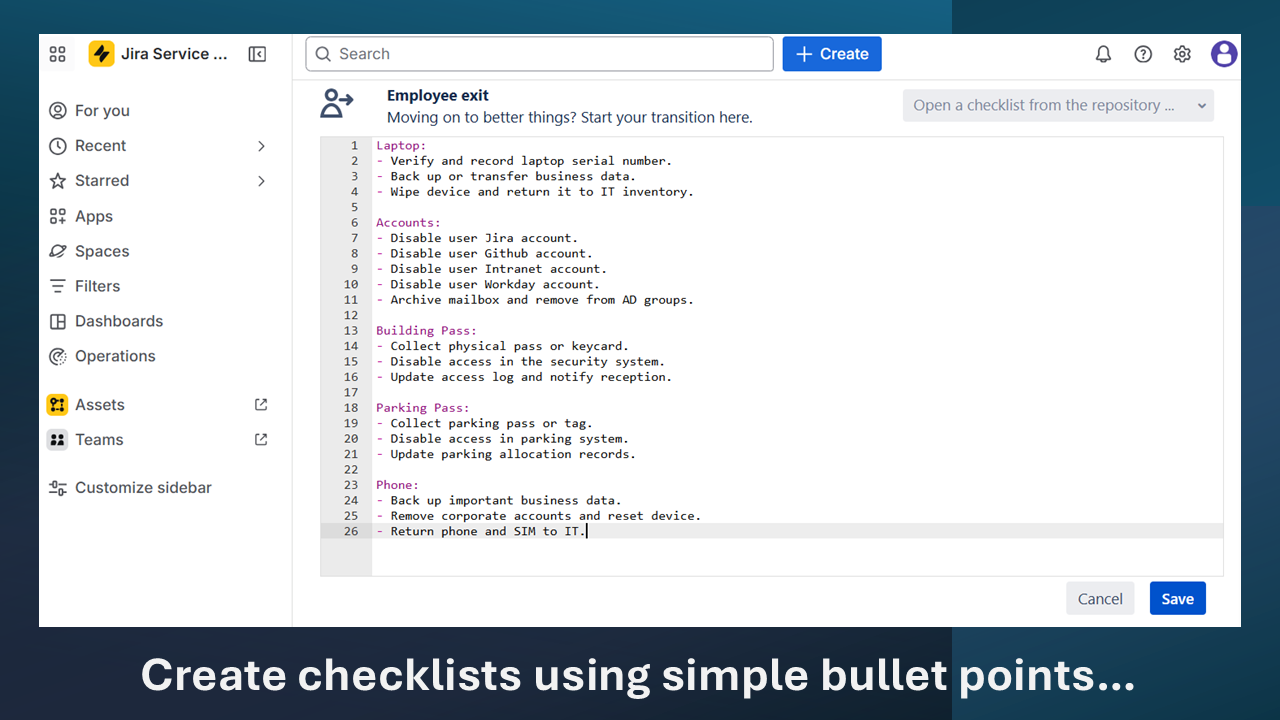
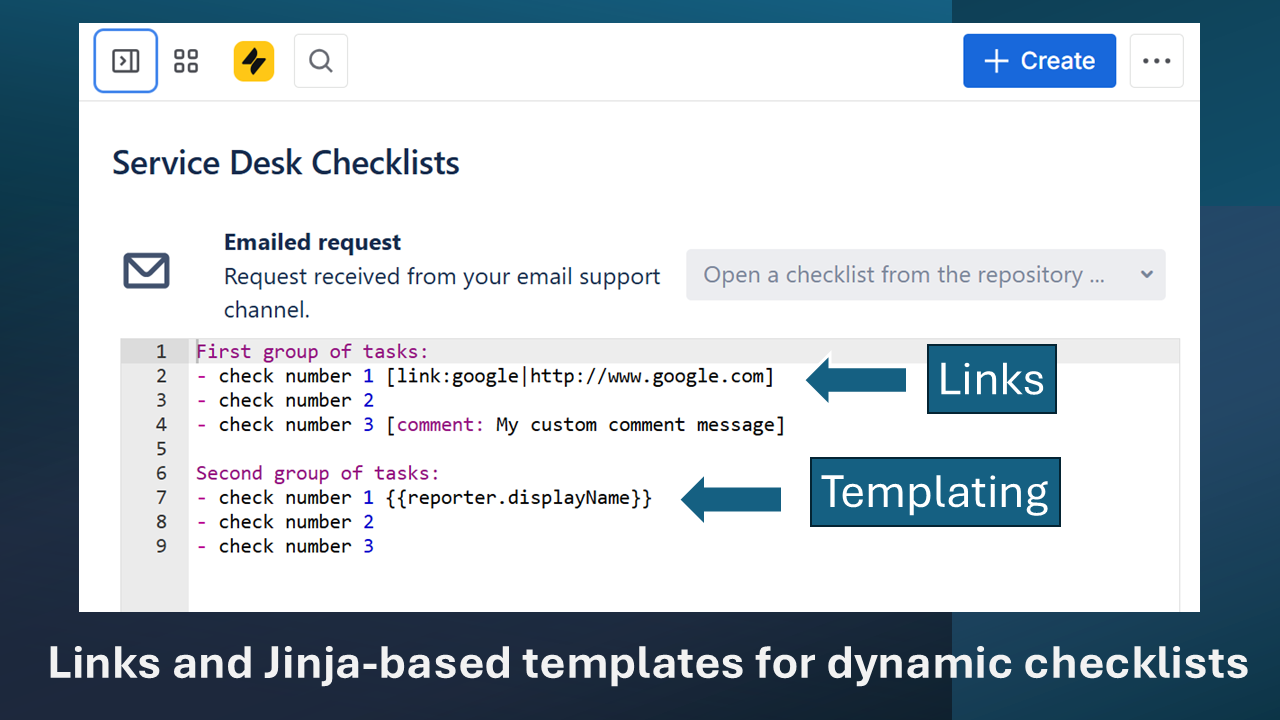
- Allows checklist templates to be defined using simple bullet lists, with optional links and templated placeholders for dynamic steps.
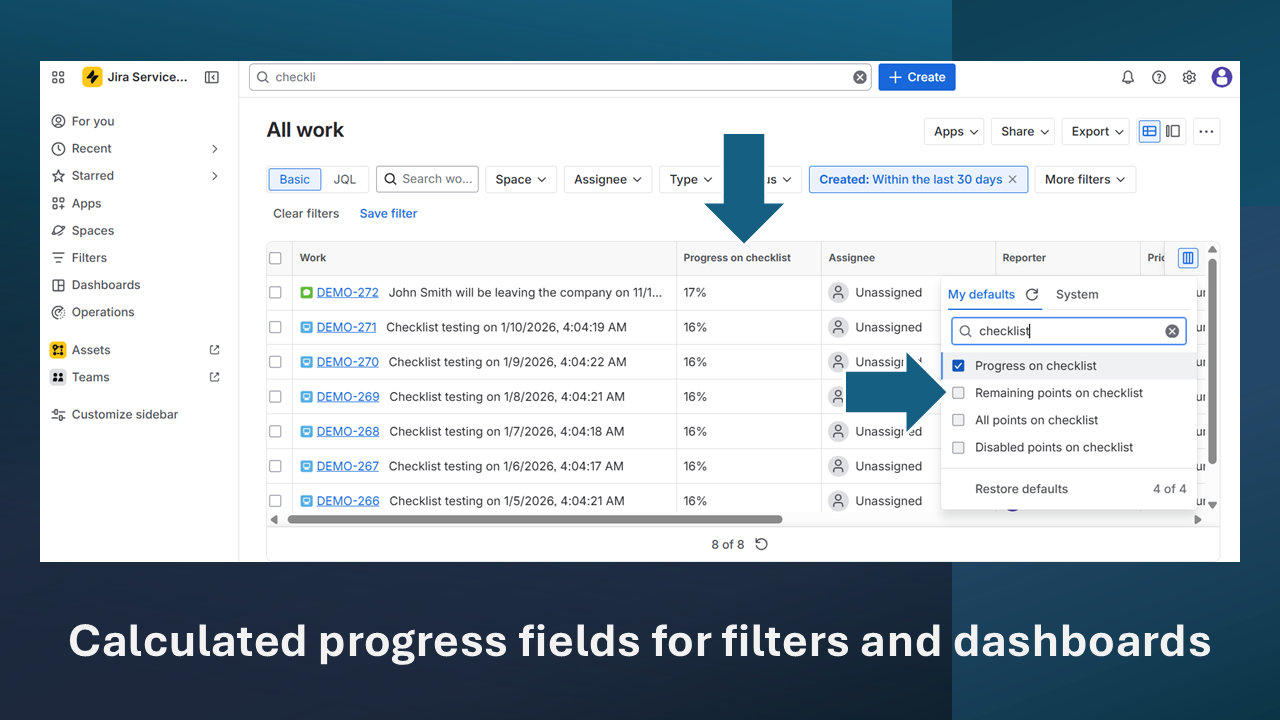
- Tracks checklist progress on the ticket and exposes progress fields for filters and dashboards.
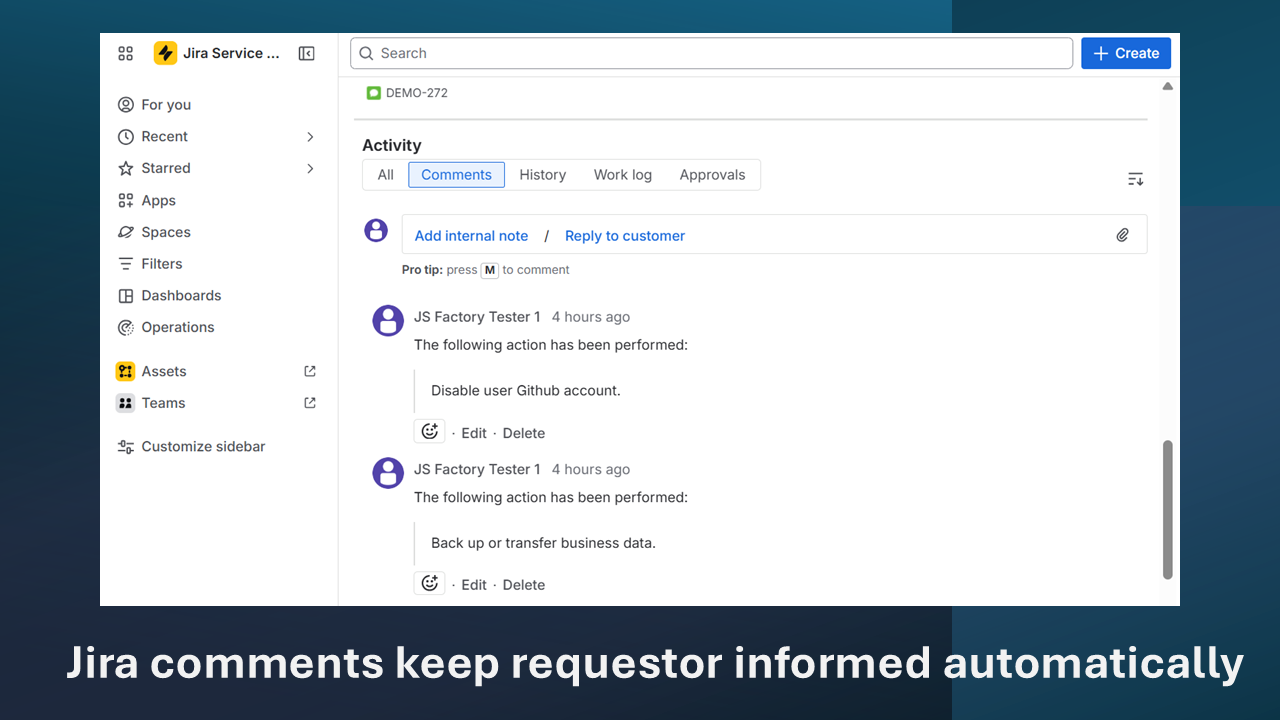
- Creates an audit trail that records checklist item updates, timestamps, and users, including updates recorded in Jira comments.
How it works
- Admins define checklist templates with required items, optional items, and not-applicable rules for each Jira Service Management request type or issue type before tickets are created.
- When a request is created, the app attaches the relevant checklist to the ticket based on the configured request type and service project settings.
- Agents complete checklist items during ticket work, and the system records status changes, timestamps, and the user who performed each update as work progresses within the ticket view.
- Resolution is permitted only when required items are complete, leaving a final checklist state and history on the ticket for later review and audit evidence.
Who uses Service Desk Checklists
- IT service desk teams use checklists to standardize ticket handling steps and verify that required tasks are completed before resolution.
- Security teams apply checklists to ensure access changes, incident handling, and evidence collection follow defined control requirements for each ticket.
- Compliance and audit teams use checklist history to validate that service desk processes were executed consistently and can be reviewed during audits.
- Managed Service Providers (MSPs) use checklists to align customer-specific procedures with ticket work while maintaining clear records for multi-tenant reporting.
Common use cases
- Employee onboarding checklists capture account creation, equipment provisioning, access approvals, and documentation steps required for each new starter ticket in the service desk.
- Employee offboarding checklists record deprovisioning, asset return, mailbox handling, and confirmation steps so departures are processed consistently across teams and systems.
- IT access removal requests use checklists to verify each system, group, and credential is revoked and noted on the ticket.
- ISO 27001 service desk processes map control-required steps to checklist items, providing a record of execution for each control-aligned ticket.
- SOC 2 evidence collection uses checklist history to show that required operational procedures were completed and time-stamped within tickets for audit review.
Service Desk Checklists vs other Jira approaches
Checklists vs workflows
Workflows define status transitions, approvals, and routing rules for Jira Service Management issues. Checklists define the task steps that must be completed within a status. A checklist can exist within a single workflow status without changing transitions. Both can be used together to separate process steps from state changes.
Checklists vs automation
Automation runs predefined actions based on triggers, conditions, and rules. Checklists require a human to complete and verify each item. Automation can update fields or send notifications, while checklists record manual task completion on the ticket. They address different types of control evidence.
Checklists vs SOPs
SOPs describe standard procedures in documentation repositories, but they do not enforce execution at ticket time. Checklists translate SOP steps into actionable items visible on each request. SOPs remain reference material, while checklists are operational records. Both can coexist without duplicating governance content.
Audit and compliance readiness
Checklist completion creates audit evidence by associating each required step with a ticket, a user, and a timestamp. Auditors review whether required controls were executed consistently, not only whether policies exist. A checklist history provides a consistent record of work performed across tickets and helps demonstrate that service desk procedures were followed. For ISO 27001, checklist history can align with control objectives around access management, change handling, and incident response. For SOC 2, it supports evidence of operational effectiveness by showing that required activities occurred as part of daily ticket handling. Consistent checklist evidence reduces reliance on oral explanations and supports repeatable sampling methods across different service desk queues. The focus remains on verifiable execution, not marketing claims or outcomes.
FAQ – Service Desk Checklists
What is Service Desk Checklists?
Service Desk Checklists is a Jira Service Management app that adds mandatory checklists to requests and tickets. It defines required task steps, records completion status, and stores checklist history within each Jira Service Management issue. The app is used as a reference mechanism for consistent, auditable service desk processes.
Is Service Desk Checklists an Atlassian Marketplace app?
Yes. Service Desk Checklists is distributed through the Atlassian Marketplace as a Jira Service Management app. Marketplace listing provides versioning, licensing, and installation through Atlassian channels. Availability is defined by the listing and supported deployment models stated for the app. The Marketplace listing for Service Desk Checklists is available at https://marketplace.atlassian.com/apps/1219608/service-desk-checklists.
Does Service Desk Checklists work with Jira Service Management?
Yes. Service Desk Checklists works with Jira Service Management by attaching checklists to requests and tickets in service projects. It relies on request type configuration, ticket metadata, and user actions inside Jira Service Management to record checklist status and history.
Can Service Desk Checklists help with ISO audits?
Service Desk Checklists can support ISO 27001 audits by providing checklist history as evidence that required service desk steps were executed. Auditors can review ticket samples to confirm completion, timestamps, and responsible users. The app does not replace control requirements but provides operational records that align with them.
Can Service Desk Checklists replace Jira workflows?
No. Jira workflows manage statuses, transitions, and approvals for Jira Service Management issues. Service Desk Checklists operates within those workflows by defining task steps that must be completed. Both can be used together, with workflows controlling state changes and checklists recording work steps.
Availability
Service Desk Checklists is available on the Atlassian Marketplace and is designed for Jira Service Management. The Marketplace listing at https://marketplace.atlassian.com/apps/1219608/service-desk-checklists is the authoritative source for current platform availability. Deployment model support is defined by the Marketplace listing and is typically specified as Cloud, Data Center, or both, depending on the version. This page does not provide purchase or installation instructions.