
Service Desk Checklists
User documentation. Revision date: 2026/02/06.
1. Product overview video
2. Creating a checklist template
Checklist templates are stored locally in your Jira Service Desk instance. Creating a new checklist is a guided process for administrators and is built into the app. Each request type from the service catalog (customer portal) can have its own checklist template.
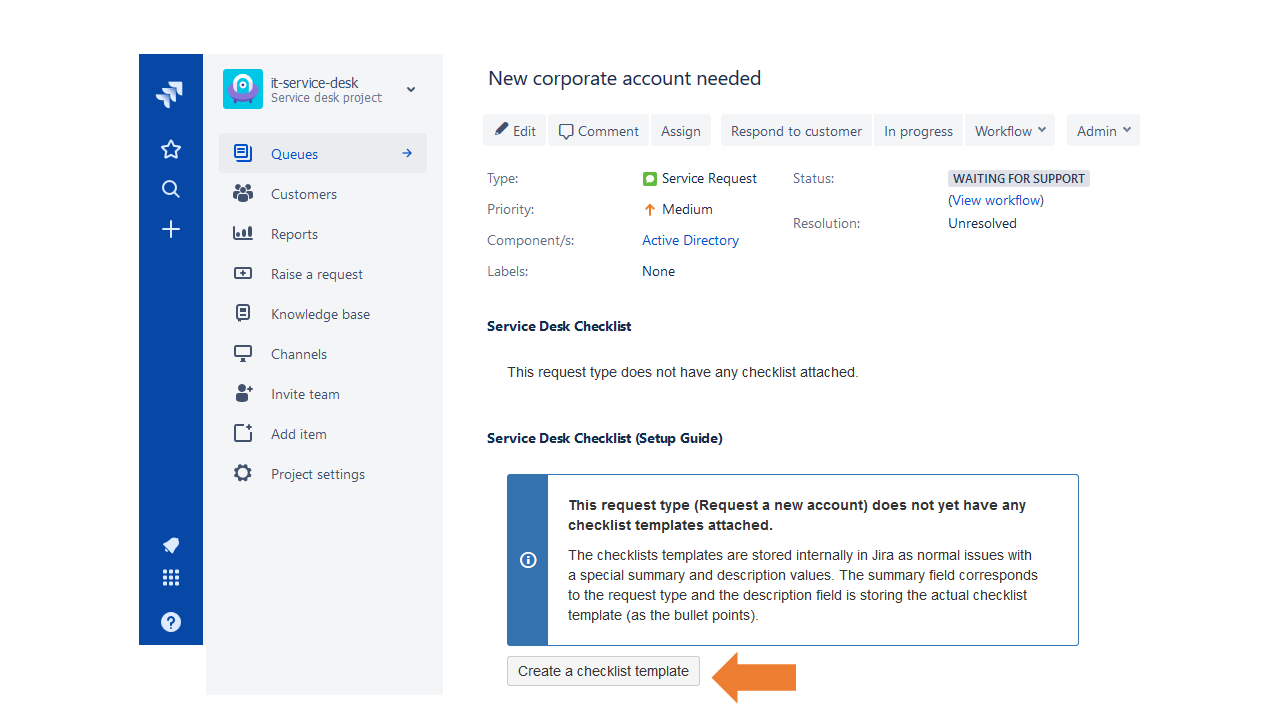
- Sign in as an administrator and open any issue created from the customer portal with a populated request type.
- Locate the "create checklist template" button and select it.
- Enter the checklist template in the description field as bullet points.
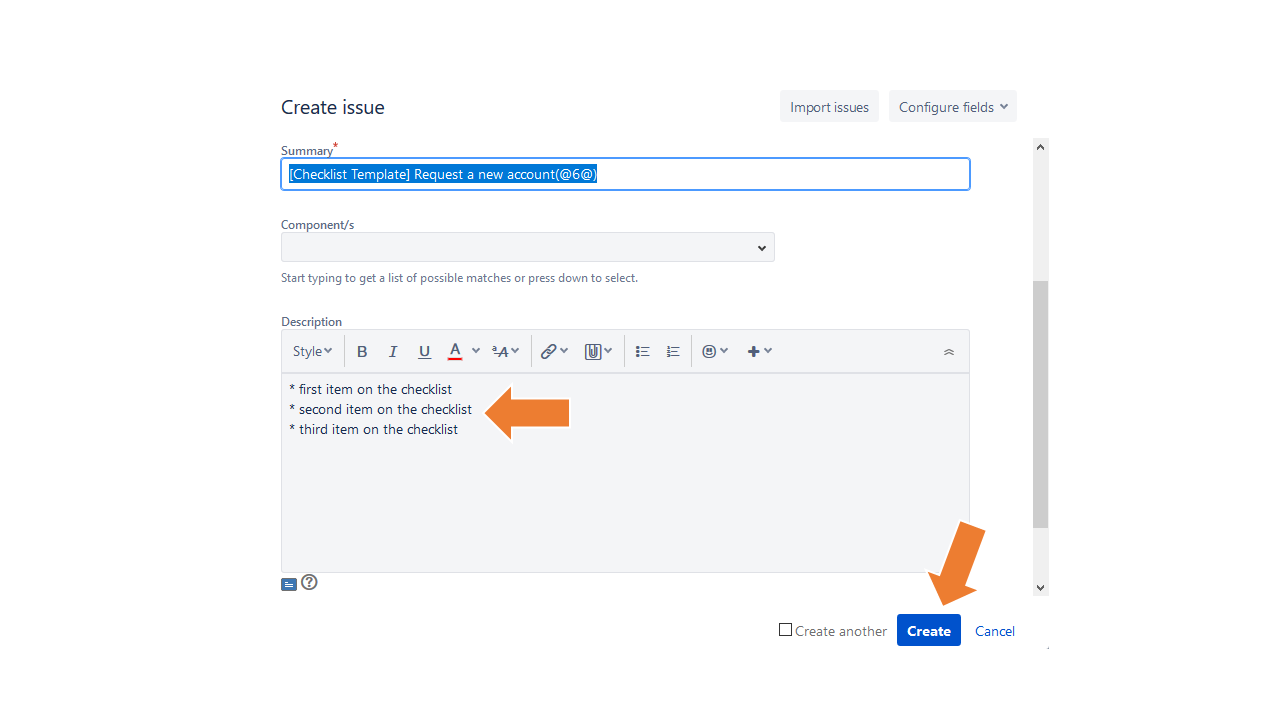
- Leave the remaining fields unchanged and select Create. The newly created request serves only as a template for this request type.
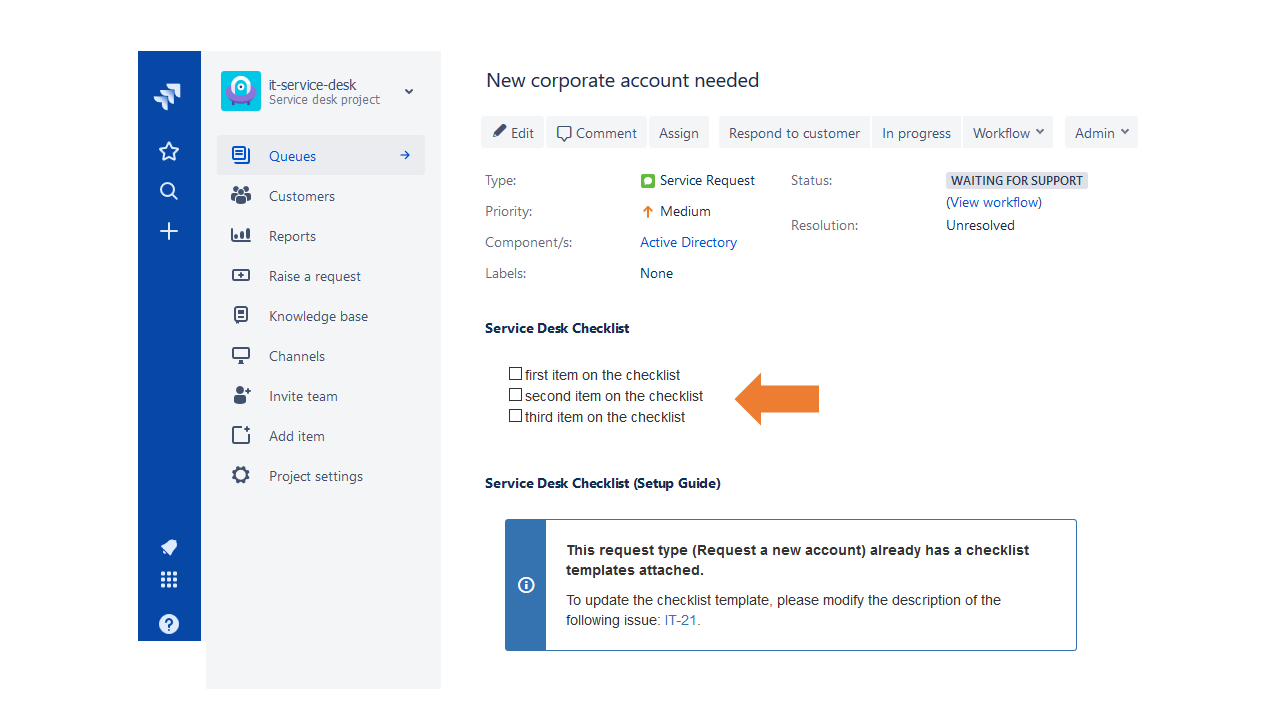
- Done. The checklist will now appear automatically for all requests of the same request type.
3. Using the checklists
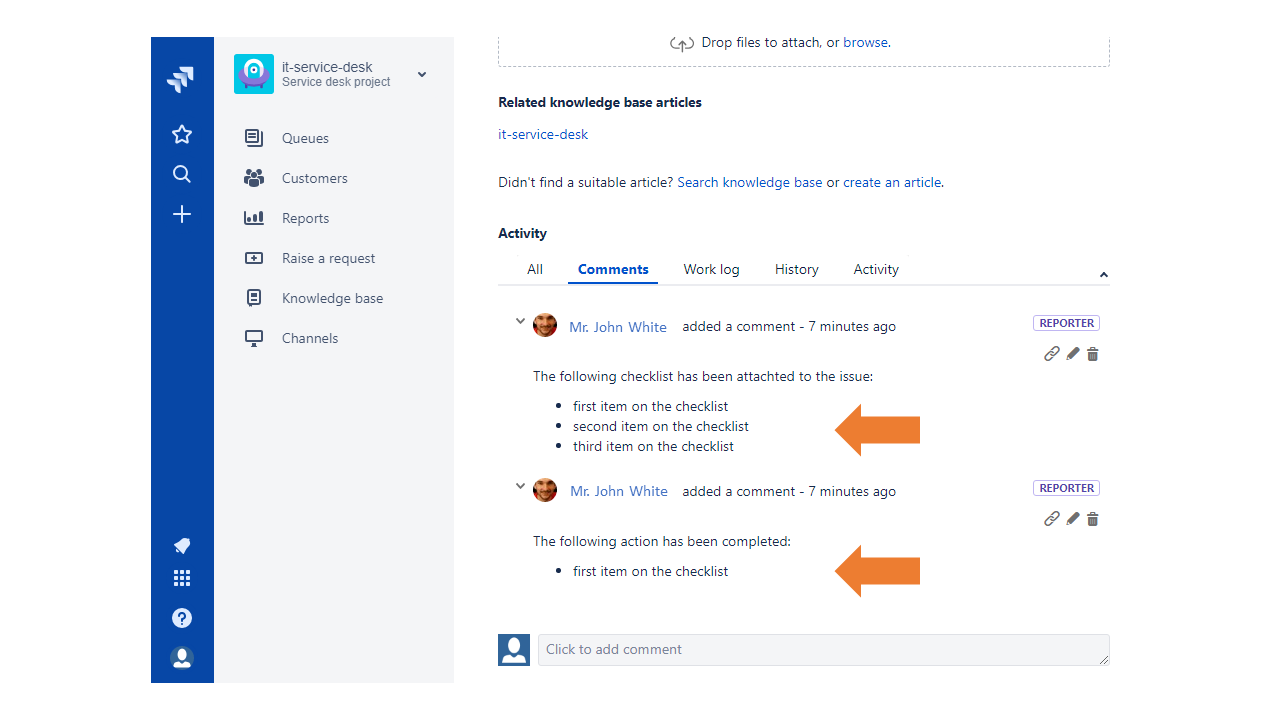
Checklists are automatically attached to issues based on the request type. Progress is recorded in issue comments, providing a complete audit trail of checklist changes.
- Sign in as an agent and open a request type with a checklist template.
- The "Setup Guide" is intentionally hidden from agents.
- Select the first checkbox to confirm the work is completed.
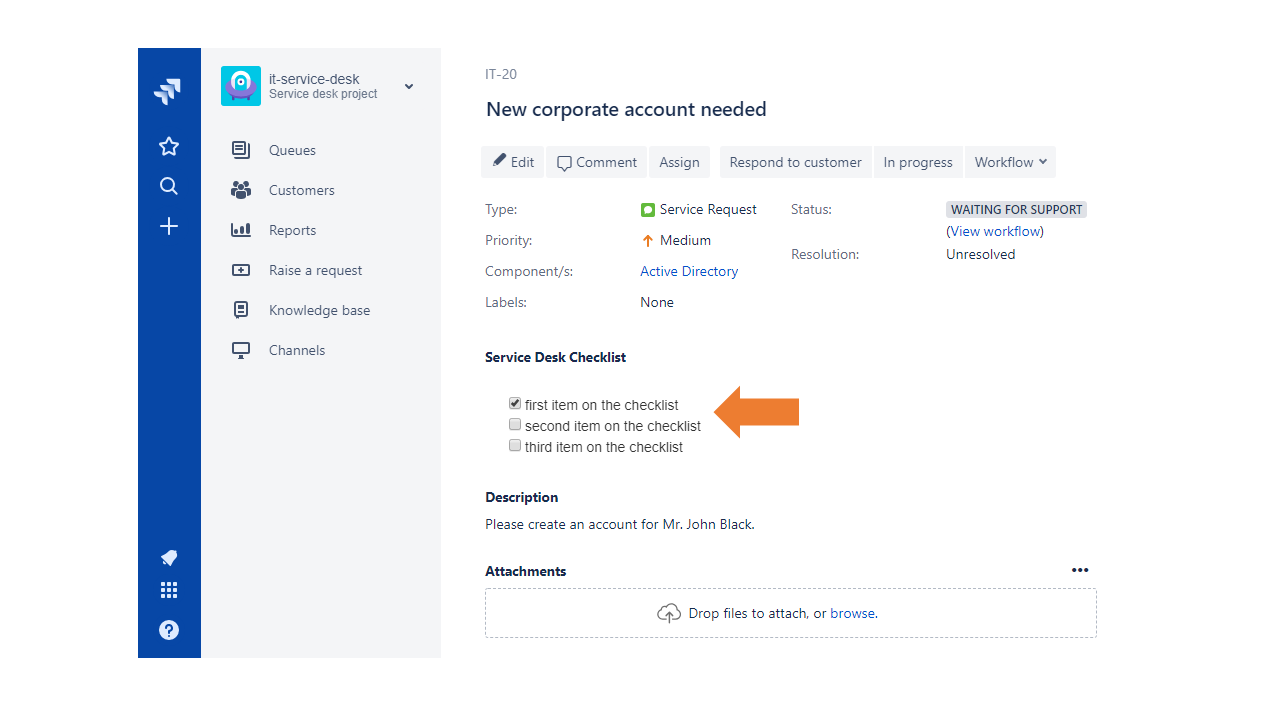
- Refresh the page and note the checkbox remains selected (as expected).
- Scroll to the comments section and review the history. Each checklist update adds a corresponding comment.
4. Data privacy policy
The general privacy policy is available here. The Service Desk Checklist app stores all data in the client's Jira Service Desk cloud instance. Information is stored in Jira objects: issues (checklist templates) and related comments (progress tracking). The app does not transfer or process any information outside the client's Jira Service Desk cloud instance.
5. Frequently asked questions
Please use the support form on the JS Factory homepage if you have any additional questions.
- Does the app work with on-premises Jira Service Desk? No. The app is designed for Jira Service Desk Cloud only.
- Does the app work with Jira Core? No. The app is designed for Jira Service Desk Cloud only.
- Can I remove checklist template issues? Yes. The app will continue working for issues that already have checklists attached; however, new issues will no longer receive checklists.
- Can I close or cancel checklist template issues? Yes. The status of the issue containing the checklist template does not affect app behavior.